
What a token approval allows
Many decentralized applications need permission to move a token from a user’s wallet as part of a swap, deposit, game or other smart-contract action. On Ethereum-compatible networks, this is commonly done through an allowance: the token owner authorizes a spender contract to transfer up to a certain amount. The approval is recorded on-chain. Depending on the token and interface, the amount may be limited to the transaction or set to a very large value often described as “unlimited.”
An approval is not the same as a transfer. It does not necessarily move tokens at the moment it is granted, but it can create authority that the spender may use later according to the token contract’s rules. If the contract is malicious, compromised or no longer trusted, a large allowance can increase the potential exposure. That does not mean every old approval is an active attack; it means permissions should be understood and reviewed instead of forgotten.
Disconnecting a dapp is not the same as revoking
When a user disconnects a website from a wallet, the wallet may stop sharing the currently connected account with that site. This is an off-chain session or connection change. A token allowance is an on-chain permission stored by the token contract. Disconnecting the site does not automatically change that allowance. Conversely, revoking an allowance does not necessarily disconnect the website from the wallet interface.
These controls solve different problems. Disconnect a site if you do not want it to interact with the current browser session. Revoke an allowance if you want to remove a token-spending permission from a contract. A wallet may provide a permissions page for connections, while a separate approval checker reads on-chain allowance data. Review both if you suspect a site is unsafe. Do not assume a “disconnect” button has reset every permission you previously signed.
When it may make sense to review approvals
Consider reviewing allowances after using a dapp you no longer trust, after a security incident affecting a protocol, when you see an unknown token transfer, or as part of routine wallet hygiene. Prioritize large or unlimited allowances to contracts you no longer use. A small allowance to a familiar, audited protocol can be different from an unlimited approval to an unknown contract, but no label alone proves safety. The contract address and the current chain matter.
Reviewing approvals is not a guarantee that a wallet is safe. A malicious site may have obtained a signed transaction, a phishing signature may grant other permissions, and a compromised device can expose keys. If your recovery phrase or private key was exposed, revoking one allowance is not enough; the attacker may control the wallet itself. Secure the wallet first and seek trusted help if assets are at immediate risk.
Step 1: Choose the correct network and wallet
Open the wallet address you want to review and note the network. Allowances are chain-specific. An approval granted on Ethereum mainnet is not automatically the same as an approval on Polygon, Arbitrum, Base or BNB Smart Chain. Use an approval checker that supports the network in question, and verify its domain through the wallet provider or a trusted source. Be cautious with sponsored search results and lookalike tools.
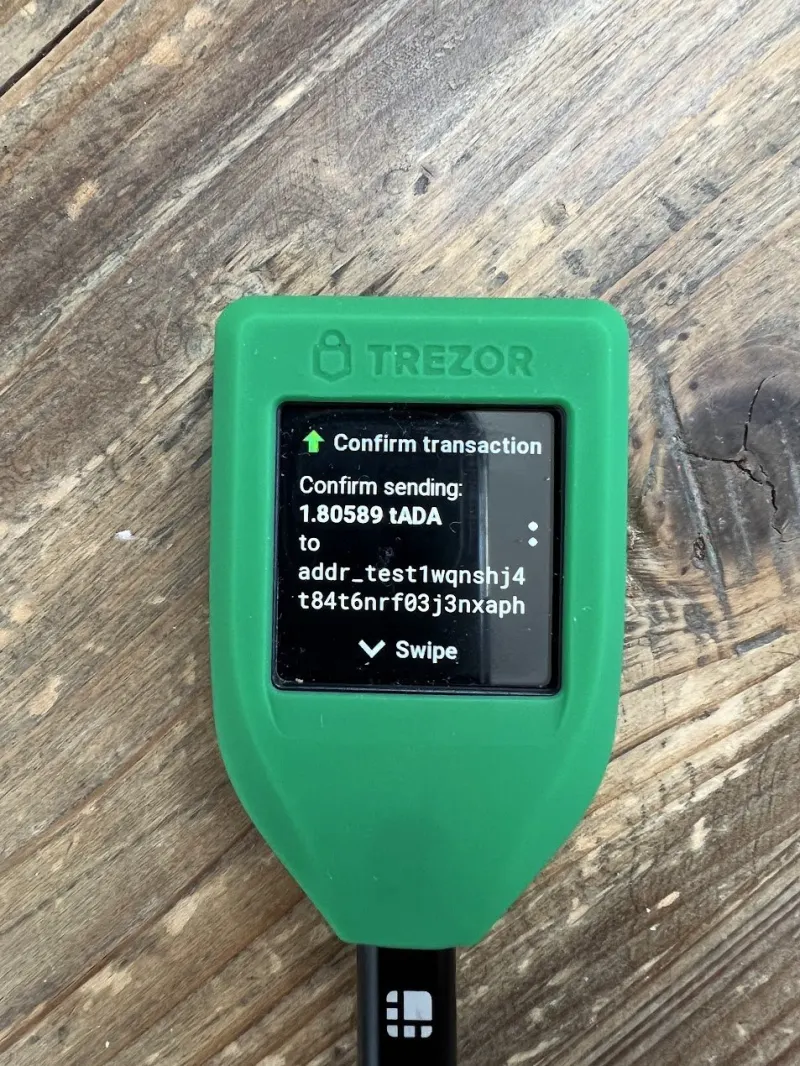
An approval checker usually needs a public address to read public blockchain data. A read-only search should not require a recovery phrase, private key or remote access. If the tool asks you to connect a wallet, inspect what connection it requests and do not sign a transaction until you understand it. Some tools prepare a revocation transaction; verify the token, spender and allowance on the wallet’s confirmation screen before submitting.
Step 2: Identify the token and spender
Approval tools commonly list a token, spender contract and allowance amount. The token identifies what asset can be spent; the spender identifies the contract authorized to call the token’s transfer function. A spender may be a swap router, lending protocol, marketplace or another application component. Names and logos can be misleading, so compare the full contract address with the project’s official documentation and the explorer for the correct chain.
Look at the allowance as well as the protocol name. A large or effectively unlimited value can be more consequential than a small amount, but risk also depends on the contract’s code, upgrade controls and security history. A recently audited contract can still have vulnerabilities, and a familiar brand name can be impersonated. If you cannot identify the spender confidently, do not approve a new action to “test” it. Research it from an independent official source.
Step 3: Revoke or reduce the allowance
Many approval tools offer a revoke action that sets an allowance to zero. Some wallets or dapps let a user approve a limited amount instead of granting unlimited access. A zero allowance removes the token’s current authorized spending limit for that spender under the token’s allowance mechanism. It does not erase transaction history, cancel a transfer that already occurred or prevent the dapp from asking for a new approval later.
On many EVM networks, changing an allowance is an on-chain transaction, so you pay a network fee in the chain’s fee asset. A revocation can fail if the wallet has insufficient gas or if the token uses non-standard approval behavior. Review the transaction details, confirm the correct network and consider whether the fee is reasonable relative to the risk and balance involved. Never follow an unsolicited “one-click revoke all” link from a stranger.
Step 4: Verify that the change took effect
After the transaction confirms, refresh the approval checker or read the allowance again on the same network. Confirm that the correct spender’s allowance is zero or reduced to the amount you intended. A pending transaction has not necessarily changed the permission yet. If the transaction failed, inspect the explorer’s status and fee details before trying again. Keep the transaction hash if you need support from the wallet or tool provider.
If the application requires an approval to function, it may ask for permission again the next time you use it. That is not automatically malicious, but it is a moment to check the token, spender and amount. Use a limited approval when the wallet or dapp supports it and when it does not create unnecessary repeated fees. A revoked allowance can also be reintroduced by signing a new approval; revocation is not a permanent block on future permission requests.
What approvals cannot do
Revoking an allowance cannot recover tokens already transferred, reverse a confirmed transaction or fix a compromised seed phrase. It also may not cover every permission system. NFT approvals, Permit signatures, account-abstraction permissions, smart-wallet modules and chain-specific token controls can work differently from a standard ERC-20 allowance. A generic checker may not display every authorization type. Read the wallet’s documentation and inspect the actual request you signed.
If you suspect a wallet is compromised, move remaining assets to a new wallet created from a secure device and a new recovery phrase, if you can do so safely. Do not reuse the old phrase. Revoking a spender from a compromised wallet can alert an attacker or fail if they control the account; prioritize professional incident guidance from a trusted wallet or security provider. Never pay an unknown “recovery agent” or share keys in a support ticket.
It also helps to distinguish an allowance problem from a key-control problem. If an attacker only has an allowance to one token, removing that allowance may reduce that specific exposure. If an attacker has the seed phrase or private key, they can sign transactions directly and may not need the allowance at all. In that situation, a new wallet and secure migration are more important than repeatedly revoking permissions. If the device itself may be infected, do not create the replacement wallet on that same device without first securing it. For valuable assets or an active theft, use a trusted incident-response channel and avoid broadcasting plans publicly, because an attacker may monitor the compromised address.
Before approving any emergency transaction, verify that its destination and contract are legitimate. Scammers exploit urgency with fake revoke pages and fake support chats. A real revocation does not require entering a recovery phrase into a website. If a tool presents an unfamiliar contract interaction, stop and compare it with official wallet documentation. Security actions should reduce the permissions you understand, not create new permissions you cannot explain.
A practical wallet-permission routine
Before connecting to a dapp, verify the domain and project link. Before approving, read the spender and token on the wallet screen. Prefer a specific amount over an unlimited one where practical. After using a temporary application, review whether the permission is still needed. Periodically check high-value wallets on every network you use. Keep the wallet application and device software updated, but remember that updates do not replace on-chain permission review.
If a site asks you to sign a message, distinguish a harmless login message from a token permit or transaction authorization. Signatures can have consequences even when they do not immediately appear as a normal transaction. Never enter a seed phrase into a website to “validate” a permission. When a wallet request is unreadable or unexpected, reject it and seek documentation from the protocol’s official site.
Frequently asked questions
Does disconnecting MetaMask revoke token approvals?
No. Disconnecting generally changes the wallet-to-site connection. An allowance is an on-chain token permission and must be changed through a supported revocation or allowance update transaction.
Does revoking an approval cost money?
Usually, changing an on-chain allowance requires a transaction and network fee. The cost depends on the chain, congestion and token contract. The wallet should show the fee before you confirm.
Can a revoked dapp take tokens again?
Not through the allowance you set to zero, but it can request a new approval if you interact with it again. Other permissions or a compromised wallet are separate risks.
Sources and further reading
MetaMask: revoke token approvals · MetaMask: disconnect a dapp · Ethereum.org: security · Revoke.cash: how token approvals work



Comments
Loading comments…