
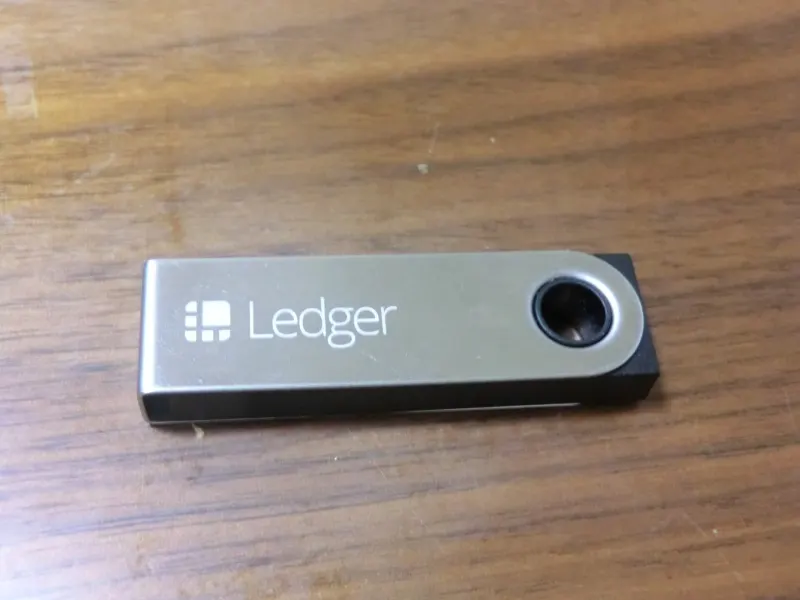
Why a backup should be tested before an emergency
A wallet backup is easy to assume and hard to verify. Someone writes down a recovery phrase during setup, stores the paper away and moves on. Months later, a lost device, damaged phone or forgotten app password turns that assumption into an urgent question: will the backup restore the accounts that hold the funds? Checking it in advance can prevent a painful surprise, but the test itself must be designed so that the recovery words remain secret.
The most important principle is simple: anyone who obtains a valid recovery phrase or private key may be able to control the associated assets. A legitimate wallet provider should not need you to send the phrase to support, paste it into a website or reveal it during a screen-share. A “backup test” that asks for the words in a browser form is not a safe test. The goal is to verify the backup while keeping it inside a trusted wallet workflow and away from cameras, cloud sync, messaging apps and unknown software.
Seed phrase, private key and wallet password
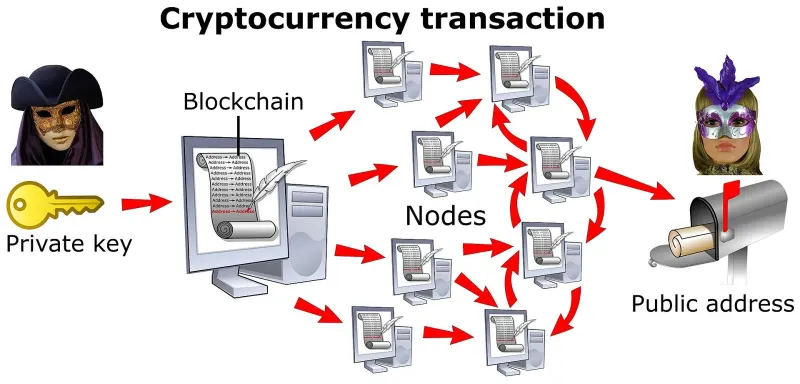
A recovery phrase—often called a seed phrase or secret recovery phrase—is used by many self-custody wallets to restore the keys for one or more accounts. A private key is the secret that authorizes transactions for a particular account. Wallet software may derive multiple private keys from a phrase using a standard path. A wallet password usually encrypts or unlocks the local app on a specific device; it often cannot restore the wallet on a new device without the recovery phrase or another backup method.
These terms are related, but they are not interchangeable. Losing a local password may be recoverable if the user still has the phrase and the wallet supports restoration. Losing the phrase can be more serious if the device is also lost. Some wallets use social recovery, passkeys, cloud-encrypted backups or smart-contract accounts; those designs have different recovery procedures and trust assumptions. Always identify which type of wallet you use before following generic instructions. The exact steps should come from the provider’s official documentation.
Start with the wallet’s official guidance
Before testing, find the wallet maker’s official support page using a known bookmark, the app’s verified help menu or the provider’s official domain typed manually. Be wary of sponsored search results, impersonator accounts and direct messages from people claiming to be support. Scammers often target people who have just mentioned a wallet problem. A support agent should never need the full recovery phrase, private key, remote access to your computer or a code that authorizes a transaction.
Some hardware wallets offer a built-in recovery-check feature that compares the written backup with the device without exposing the phrase to a connected computer. Some software wallets provide an official restore flow. Others do not provide a dedicated test feature. If the provider has no safe checker, do not improvise by typing the phrase into a third-party “validator.” Read the official instructions and consider creating a separate test wallet instead of experimenting with the backup that controls valuable assets.
A safer no-funds test workflow
The lowest-risk rehearsal starts with a new wallet that contains no meaningful funds. Create the wallet using the official app or hardware device, record its recovery method according to the provider’s instructions, and write down the public receiving address. Then close the wallet, follow the official restore procedure on a clean device or a fresh installation, and check whether the same public address appears. If the provider offers a recovery-check function, use that rather than exporting the phrase into another app.
Do not use a random “test restore” website, an online form or a browser extension you found through a forum post. Do not take a screenshot of the phrase. Avoid printing it through a network printer or storing it in an unencrypted cloud folder. If the test requires manual entry, do it only inside the provider’s trusted wallet software on a device you control and understand. When the test is complete, clear temporary local data according to the official instructions and verify that no phrase or private key remains in clipboard history or screenshots.
If you already have funds in the wallet, first determine whether the wallet supports an offline recovery check. Do not move assets or expose the phrase merely to satisfy curiosity. A test transaction can confirm that an address is usable, but it does not prove that the backup is recoverable. Recovery is a separate procedure. If the phrase has ever been entered into a website, sent to another person or stored in a place you no longer trust, treat the wallet as potentially compromised and seek official security guidance before moving funds.
Check the words and the order without sharing them
When a phrase is written down, small transcription errors are common. Similar-looking words, unclear handwriting, a missing word or an incorrect order can prevent restoration. Some wallet standards include a checksum, so a phrase can be structurally valid while still pointing to a different wallet than intended. A recovery checker can validate the phrase in the wallet’s trusted environment, but a third-party website cannot be trusted simply because it says the checksum is correct.
Keep the original phrase private while checking the record. Compare the written copy with what the official device or app displays during its supported backup verification. Read each word carefully, preserve the order and confirm whether the wallet uses an additional passphrase. An optional passphrase can create a different wallet from the same base phrase; forgetting it may make the expected accounts appear empty. The passphrase is an additional secret, not a replacement for the recovery words.
Derivation paths and multiple accounts
A recovery phrase may generate many accounts across different networks, and wallets may use different derivation paths. Restoring a phrase in a compatible wallet might show one account immediately while other accounts require selecting a network, account index or derivation path. This can make a successful restore look incomplete. Do not repeatedly import the phrase into random wallet software in search of a missing balance; first consult the wallet maker’s guide to supported accounts and paths.
Account addresses are public, so comparing a known address is safer than comparing secret keys. Before moving funds, confirm the address on the trusted device screen and check the correct network. A token shown on one network may not be the same asset contract on another. If a wallet’s interface does not show an expected token, the asset may need to be added using its verified contract address; never trust a token link sent by an unknown person.
Hardware wallets and recovery tests
A hardware wallet keeps signing keys inside a dedicated device, which can reduce exposure to malware on an everyday computer. It does not make the recovery phrase harmless. The phrase is still a master backup, and entering it into a compromised computer can defeat the protection the hardware device was meant to provide. A device’s screen should be used to verify addresses and transaction details whenever the wallet supports it.
Some hardware-wallet manufacturers provide a recovery-check application that verifies a phrase on the device. Use only the official software and confirm the download source. A recovery check is different from restoring the phrase into a third-party wallet: the former can be designed to validate the backup while keeping the phrase within the device; the latter may export or expose key material. If you are uncertain which operation is taking place, stop and read the manufacturer’s documentation before continuing.
What to do if the test fails
Do not keep retrying random words in an untrusted app. Return to the official wallet documentation and check whether the wallet supports the phrase format, word list, optional passphrase and derivation path you used. Look for simple recording errors on the offline backup without photographing or sharing it. If funds are involved and the device still works, avoid wiping it until you understand the recovery options.
If the phrase may have been exposed, assume that anyone who copied it could eventually access the wallet. Creating a new wallet from a fresh phrase on a clean, trusted device and moving assets may be appropriate, but moving funds has its own risks: verify the destination address, network and test transfer amount. If assets have already been stolen, report the incident to the relevant exchange or law-enforcement channel when appropriate. Be skeptical of “recovery experts” who demand an upfront payment or ask for the phrase; recovery scams often follow the original theft.
A durable backup plan
Keep at least one legible offline backup in a location protected from casual access, fire, water and accidental disposal. Some people use a durable metal backup; others use a carefully stored written copy. Each method involves trade-offs. Multiple copies can improve resilience but create more places an attacker could find. A safe plan considers who can access the backup, how heirs would understand it and what happens if the owner is incapacitated.
Do not label a recovery phrase in a way that makes it obvious to an untrusted person, but do not make the instructions so obscure that you or a trusted successor cannot use them. Consider storing wallet type, account network and the presence of an optional passphrase separately from the phrase itself. Never store the full secret in plain text next to a public address or on a device that automatically syncs data to a shared account.
A final checklist
Use the wallet maker’s official recovery-check or restore flow. Test first with an empty wallet when possible. Keep the phrase offline and away from photos, email, cloud notes, messaging apps and support chats. Confirm the restored public address, wallet type, network and any optional passphrase. Do not approve transactions as part of a backup test. If anything asks you to connect to a “verification” site and enter the words, stop.
A backup is valuable only when it can be restored, but checking it should not create a new exposure. The safest process is deliberate, offline where possible and based on the official wallet’s documented recovery design. No website, support representative or article can validate a recovery phrase on your behalf without seeing a secret. Keep that boundary clear, and treat any request for the words as a serious warning.
Sources and further reading
Ethereum.org: security and scam prevention · MetaMask: recovery phrase, password and private keys · Coinbase Wallet: recovery phrase guidance


Comments
Loading comments…